


U-Haul
3.08.84K Reviews
App Specs
- Version
- 3.11.0
- Updated On
- License
- Free
- Downloads
- 5,000,000+
- Developer
- U-Haul International
- Categories
- Travel & Local
- Platform
- Android, iOS
Screenshots
 Analysis by AppCompare
Moving yourself is a different kind of job from hiring a full-service crew: you have to coordinate the vehicle, supplies, timing and address details while still packing boxes. I find U-Haul most useful when those tasks are already part of the plan and I want one place to manage the rental side. It is a free travel and local app from U-Haul International, aimed at people arranging a move or looking for storage rather than travelers planning a typical holiday.
Planning the rental before moving day
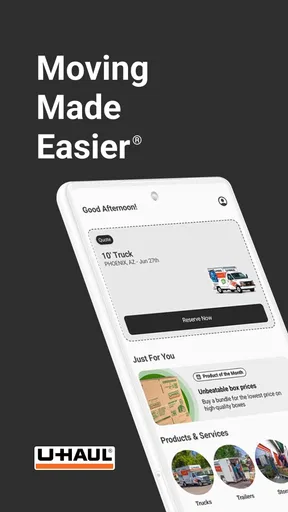
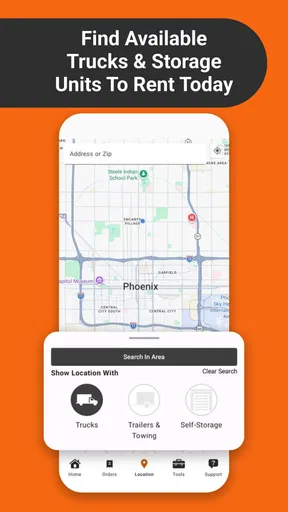
First things first, the app is super intuitive. The moment you open it, you’re greeted with a clean interface that makes navigation a breeze. No more fumbling around trying to figure out where everything is. You can easily find trucks, trailers, and even storage options that fit your needs. It’s kind of like having a moving master plan right in your pocket.
That convenience matters most when you are comparing practical options, not browsing for inspiration. A truck rental is tied to dates and pickup and drop-off locations, so I would settle those details before treating a reservation as a finished plan. Check that the selected locations work with your route, and review the booking details carefully before moving on to packing. An app can make the steps easier to handle, but it cannot decide whether a vehicle or schedule suits the shape of your move.
For a small apartment move, for example, I would first make a rough inventory: large furniture, boxes, and anything awkward to carry. Then I would look at the available truck or trailer options and think through loading space, parking and the distance between stops. This is a more reliable approach than choosing quickly based only on the first convenient pickup point. The app helps organize the rental search; the judgment about what your belongings require is still yours.
Reservations, supplies and useful preparation
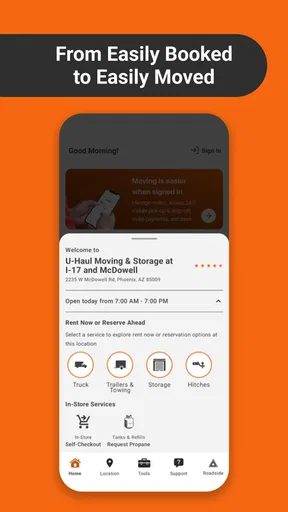
One of my favorite features is the quick reservation system. You can book a truck or trailer with just a few taps. Plus, the app lets you choose pickup and drop-off locations that are convenient for you. No more back-and-forth phone calls or endless paperwork. It’s all digital, which means less hassle and more efficiency.
Another cool feature is the moving supplies section. Need boxes, packing tape, or those handy furniture pads? The app lets you order everything you need and have it ready for pickup at your nearest U-Haul location. It’s like having a personal moving assistant on call.
A useful way to approach supplies is to order for the job you have, rather than buying a vague “moving kit” and hoping it covers everything. Think about fragile kitchen items, clothing, books and furniture separately. If you are picking up supplies at the same location as the vehicle, that can simplify the day; if the pickup points differ, account for the extra stop in your schedule. That small check can prevent a last-minute detour when the vehicle is already loaded or your helpers are waiting.
Worth Reading Before You Choose

EA SPORTS FC Mobile 26 Is a Bigger Football Game, but It Takes Time

Flipboard Shows What News Apps Must Do Beyond the Feed

Switching to Android Auto Means Rethinking Your Driving Routine

Google Calendar Makes a Crowded Week Easier to Manage

Ludo King Makes the Most of the Minutes Between Plans

Baby Panda World Brings Quick Play to Modern Phones, but Its Game Library Feels Busy
The app is especially handy for someone coordinating a move in stages. You might arrange the rental first, gather packing materials later, and keep the booking information available as the date approaches. The rental history and booking management can help when you need to retrace what you arranged, rather than relying on memory or scattered notes. I would still keep essential addresses and timing details somewhere accessible outside the app too, particularly if several people are helping and need the same plan.
Connectivity when plans are moving
Because reservations and location choices are central to the experience, the app is most useful when you have a dependable connection. I would do the searching and booking somewhere with stable internet, then review the important details before setting off. Moving day often means switching between a loading area, roads and unfamiliar neighborhoods, so it is sensible not to leave key decisions until the moment you are standing outside a pickup location.
This is one area where a moving app differs from a paper checklist. A checklist is available without needing to open an account or load a screen, while the app brings rental-related tasks together in a mobile interface. That is a real advantage during planning, but it also means that I would not make it my only record of the day’s arrangements. Save or note the details you need in a form you can reach quickly, and make sure the people meeting you know the plan.
If a screen is slow or a booking page does not load, I would first check the connection and try again before repeating a reservation action. Avoid tapping through several times if you are unsure whether a step completed; first look for confirmation or check the booking area. That cautious pause is less frustrating than accidentally creating confusion while trying to hurry. If the issue affects a time-sensitive pickup, use the support options rather than assuming the app has resolved it.
Using it in real moving-day situations
If you’re anything like me, you appreciate an app that doesn’t crash or freeze. Thankfully, U-Haul runs smoothly. I didn’t encounter any bugs, and the loading times were quick. Plus, the customer support options are right there if you need help. You can easily access FAQs or contact support through the app, which is a huge plus when you’re halfway through a move and need answers fast.
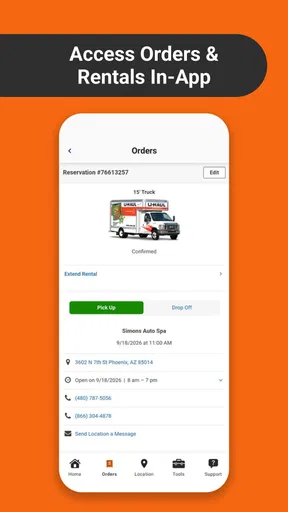
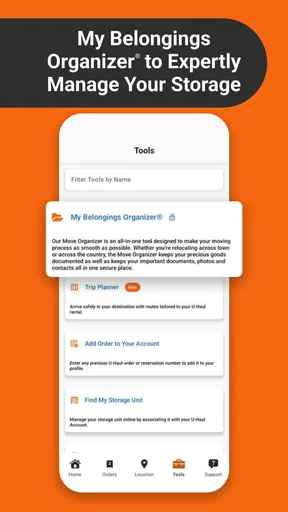
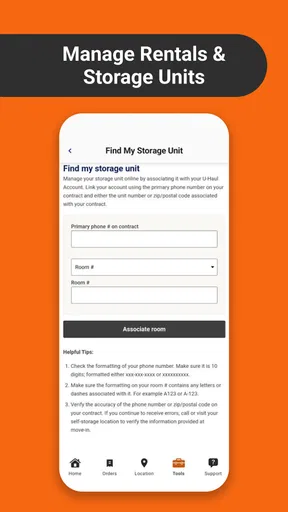
There’s also the option to view your rental history and manage your bookings. It’s perfect for keeping everything organized and ensuring you don’t miss any important details. The app even sends reminders about your upcoming rentals, so you’re always in the loop.
Picture a common situation: you have packed most of your apartment the night before, a friend is helping in the morning, and you need to collect a vehicle before loading. I would check the booking and pickup location the previous evening, make sure the helper knows where to meet, and gather the supplies before the rush. On the day itself, rental history and booking management give you a place to revisit the arrangement, while reminders can help keep the date on your radar. This is practical support for coordination, not a substitute for leaving enough time to load and drive.
For a move with more than one stop, think through the route before choosing locations. A convenient pickup point is not automatically the best one if it sends you in the opposite direction from your first load. Similarly, a drop-off location should make sense for the final leg, not just look close on a map. Those are small trade-offs, but they can shape how tiring the day feels once the vehicle is full.
There are limits to what I would ask the app to do. It can help you arrange rental-related tasks, but it does not remove the need to estimate your load, check access at both properties, arrange parking, or coordinate people carrying furniture. Someone moving only a few bags may find a rental app more involved than necessary; borrowing a vehicle or using a delivery service may be simpler. Someone who wants professionals to pack, carry and manage the logistics should compare full-service options instead of expecting a self-move tool to handle that work.
Who will get the most from it
I think the best fit is a person who has decided to manage the move themselves and wants to keep vehicle, storage and supplies planning close at hand. It can also suit someone moving between homes in stages, or a renter who needs to organize a vehicle and packing materials without making separate phone calls for every step. With more than five million installs, it is a familiar option for many people handling these practical moving tasks, though popularity alone does not guarantee that every local plan will be straightforward.
People who strongly prefer personal assistance at every stage may be less comfortable relying on a digital booking flow. The app has support options, but if you need someone to help estimate the right vehicle, explain each decision, or coordinate a complicated move, it may be better to speak with a service provider directly. Likewise, if your connection is unreliable and you have not arranged the essentials in advance, depending on a mobile workflow at the last minute could add stress rather than remove it.
Its average rating is 3.4 from around sixteen thousand ratings, with about eight thousand three hundred written reviews. I take that as a reminder to approach it as a useful tool, not a guarantee of a perfect rental experience. The app’s current version is 3.9.0, and it is rated for everyone; it requires Android 8.0 or later. Those details make it easy to judge whether it fits your device, while the more important question is whether you actually want to manage a move yourself.
How it compares with other ways to arrange a move
Compared with a general travel or map app, this one is focused on the moving job: finding rental options, choosing locations, handling supplies and keeping booking information together. A maps app can help you understand routes, and a notes app can hold a checklist, but neither is designed around U-Haul rentals. On the other hand, those everyday tools can be better for route planning or sharing a flexible list with helpers. I would use them alongside the rental app rather than expect one app to replace every part of a move.
Compared with calling or visiting a location, digital reservations can save time and make it easier to review a plan on a phone. A direct conversation may still be preferable if your situation is unusual or you need clarification before committing. The useful balance is to use the app for routine arrangements and reach out when the details do not fit a straightforward truck, trailer, storage or supplies plan. That keeps convenience from turning into guesswork.
My verdict on staying organized
In a world where moving can be a logistical nightmare, the U-Haul app brings a much-needed touch of simplicity and control. Whether it’s your first move or you’re a seasoned pro, this app is a must-have for making the process less stressful. So, if you’re gearing up for a move, give it a try and see how it can transform your moving day.
Remember, moving doesn’t have to be a headache. With the right tools, it can even be a little fun. Happy moving!
My recommendation is to use it early, while you still have time to compare locations, settle the booking and think through supplies. Treat the app as a practical organizer for the U-Haul part of the move, keep your essential plan easy to reach, and leave room for real-world complications such as parking, loading and travel time. If that is the kind of help you need, it can make a self-managed move feel more orderly; if you want someone else to take over the work, a different kind of service will suit you better.
Pros
- Wide range of vehicle options.
- Convenient online booking system.
- User-friendly app interface.
- 24/7 roadside assistance available.
- Flexible rental durations.
Cons
- Occasional app crashes reported.
- Limited customer support response.
- Hidden fees may apply.
- Some vehicles not well-maintained.
- Delayed refund process.
FAQs for U-Haul
What features does the U-Haul app offer?
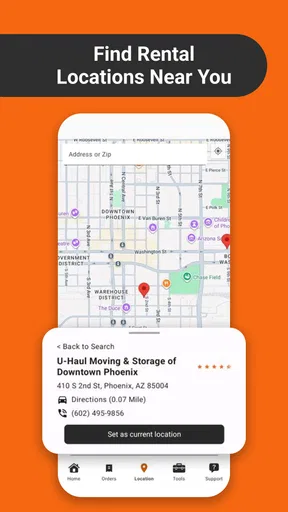
The U-Haul app provides a range of features designed to make moving and storage easier. Users can reserve trucks and trailers, find nearby U-Haul locations, manage reservations, and even purchase moving supplies. The app also offers 24/7 self-service options for pickup and return, making it convenient to manage your moving needs anytime.
Is the U-Haul app free to use?
Yes, the U-Haul app is free to download and use. However, while the app itself doesn't charge for its features, users will need to pay for any services or rentals they reserve through the app, such as truck rentals or storage units. Pricing for these services is detailed during the booking process.
How user-friendly is the U-Haul app?
The U-Haul app is designed to be user-friendly with a straightforward interface. It guides users through each step of the moving process, from selecting the right vehicle to finalizing reservations. The app's intuitive design ensures that even users who are not tech-savvy can easily navigate and utilize its features effectively.
Can I manage multiple reservations with the U-Haul app?
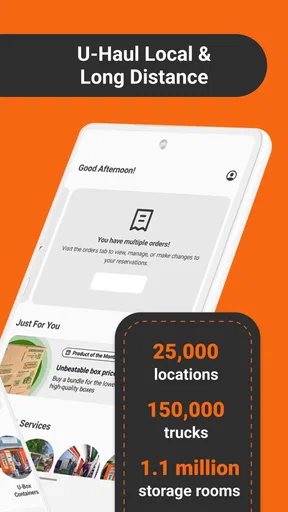
Yes, the U-Haul app allows users to manage multiple reservations seamlessly. You can view, modify, or cancel your reservations directly from the app. This feature is particularly useful for users planning complex moves that require multiple rentals or storage solutions, providing a centralized way to keep everything organized.
Does the U-Haul app offer customer support?
The U-Haul app includes access to customer support to assist with any issues or questions you might have. Users can contact support directly through the app via phone or email. Additionally, there are FAQs and helpful resources available within the app to address common questions and troubleshoot minor issues.


